How to Request Zoom Access
/ 1 min read
Table of Contents
Introduction
If you need a Zoom account for work purposes, you can request one through the company approval system. This process is straightforward and does not involve any department budget allocation.
Request Process
-
Open the Request Link
Go to: Zoom Request Form
-
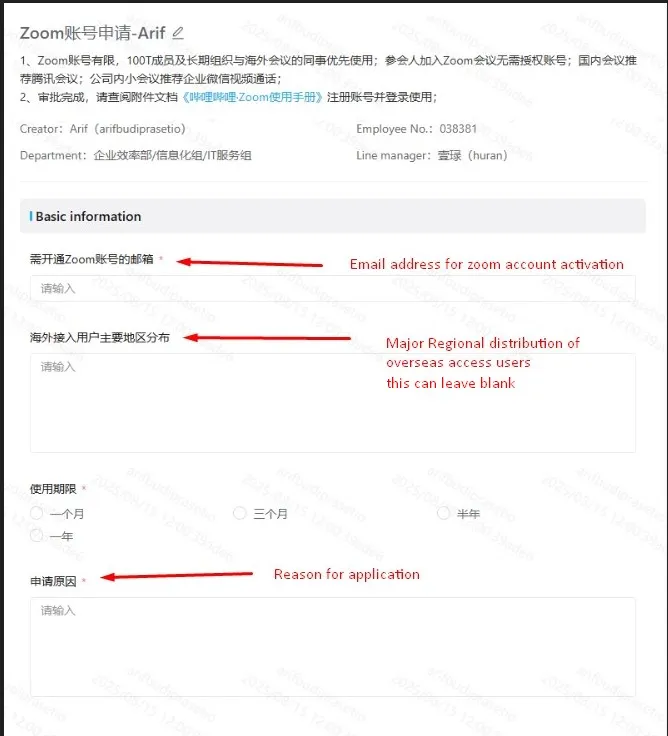
Fill Out the Form
- Provide all required details on the request form.
- Make sure your registration email is correct, as the activation link will be sent there after approval.
-
Approval Flow
- The request will be automatically routed to your line manager for approval.
- Once approved, the system will send you an activation link via your registration email.
Activation
Once your request is approved:
- An activation link will be sent to the registration email you provided in the form.
- Open the link and follow the on-screen instructions to activate your Zoom account.
Notes
- No budget impact: This request does not affect your department’s budget.
- Ensure your registration email is accessible and active to receive the activation link.
- If you do not receive the activation email within 2–3 working days after approval, contact IT Support.